
How to change the language of the Plesk Panel?
- August 15, 2021
- 0 Comments
Follow these steps to change the language of your Plesk Panel.
1. Log in to your Plesk account. (e.g., https://example.com:8443 )
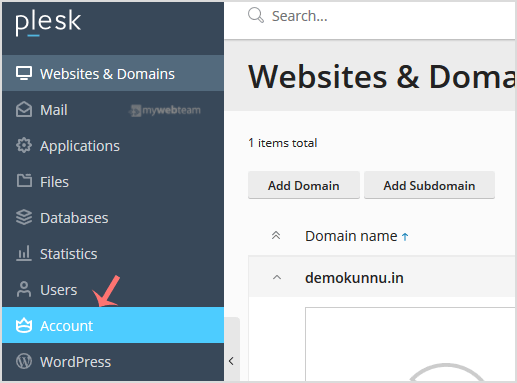
2. In the Sidebar Menu, click on Account.
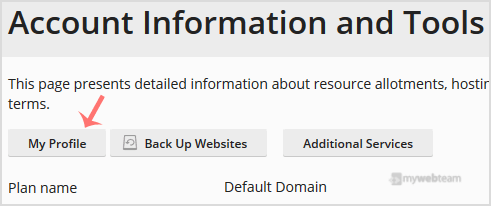
3. Under Account Information and Tools, click on My Profile.
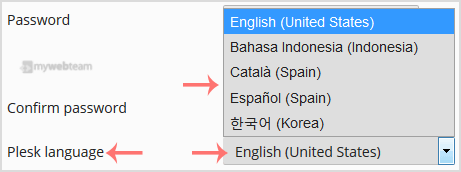
4. Scroll down to the Plesk language and choose yours from the drop-down menu.
5. Then Please scroll down and click Apply.

You will see a success message, signifying that your Plesk panel language has changed.