How to Automatically Sync or Fetch an email on Apple/iOS?
- August 15, 2021
- 0 Comments
You can set your email for automatic syncing. It means that if you receive new mail in your cPanel email account, it would be fetched/synced with your Apple/iOS mobile automatically.
1. Open the main screen of your Apple Mobile and click on the Settings Icon.

2. Scroll down and tap on Passwords & Accounts.

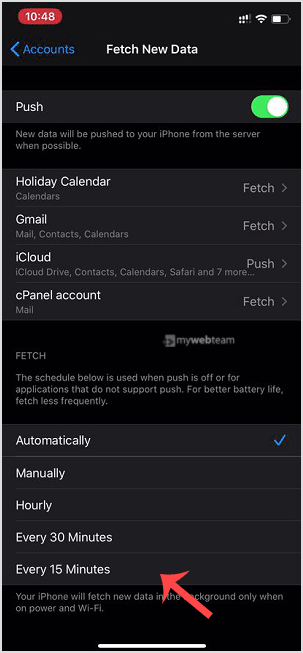
3. Now tap on Fetch New Data.

4. Select any option such as Every 15 Minutes or manually select an option and set your custom time to sync emails with your cPanel email server frequently. If any new email arrives, a new message will show up in your inbox.