
How to delete a database in Plesk?

  • August 15, 2021
  • 0 Comments

1. Log in to your Plesk account. (e.g., https://example.com:8443 )


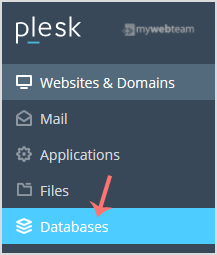
2. In the Sidebar Menu, click on Databases.
 

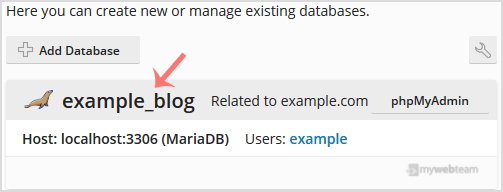
3. Under the list of databases, click on the database you wish to remove.
 

4. Now click on Remove Database and a confirmation box will appear. Confirm with Yes.
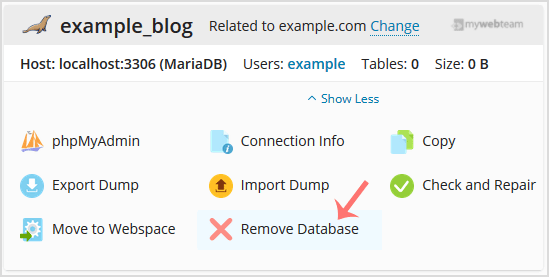
 

Your database will be removed.

How helpful was this article to you?

Posting has been disabled.

MyWebTeam offers a range of web development solutions to customers across Australia.

Specialising in eCommerce solutions, we offer expert advice and development services on both existing platforms and full stack custom development solutions.

Contact

MyWebTeam

Unit 233, 117 Old Pittwater Road
Brookvale, NSW, 2100