
How to add a new domain in Plesk?
- August 15, 2021
- 0 Comments
Follow this tutorial to add a new domain to your Plesk Account.
1. Log in to your Plesk account.
2. In the Sidebar Menu, click on Websites & Domains.

3. Click on Add Domain.

4. Enter your website address in the domain name field. If you need SSL, then tick mark Secure with an SSL/TLS Certificate. You can leave all other options as they are.
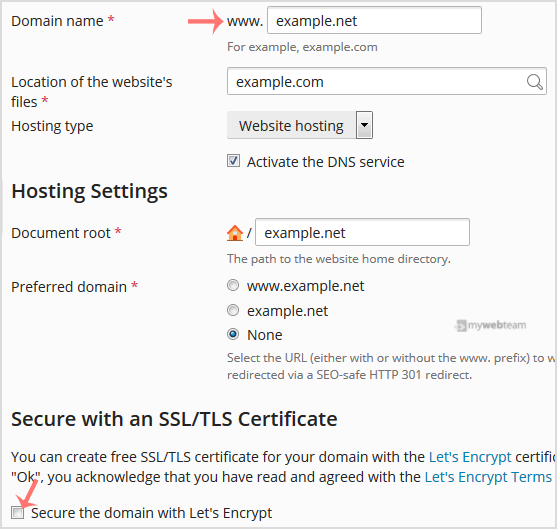
5. Scroll down to the end of the page and click Ok.
Once your domain is added, then you can access it from the Websites & Domains option.