How to Remove a subdomain redirect in Plesk?
- August 15, 2021
- 0 Comments
1. Log in to your Plesk account.
2. In the Sidebar Menu, click on Websites & Domains.

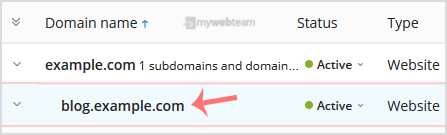
3. Under Domain Name, click on your subdomain.
4. Click on
 Hosting Settings.
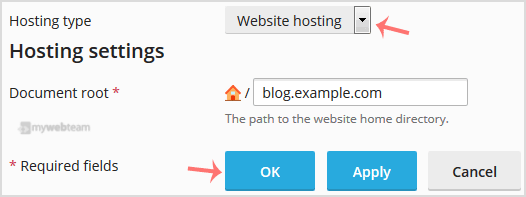
5. Next to the Hosting Type, choose Change, displaying next to Website.

6. Under Hosting Type, select the Website Hosting option from the drop-down menu and confirm with OK.