How to Increase PHP's post_max_size value using CloudLinux''s Selector in Plesk?'
- August 15, 2021
- 0 Comments
You can modify PHP post_max_size as per your needs using CloudLinux PHP Selector in Plesk.
1. Log in to your Plesk account.
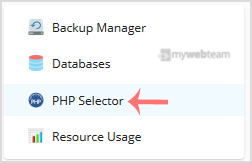
2. In the right-hand sidebar, click on PHP Selector.
3. Click on the Options menu.

Note: If the Options page shows an error related to the native PHP version, change it to a non-native version first.
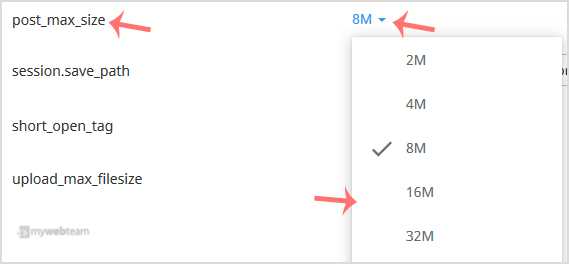
4. Look for post_max_size and click on the drop-down option displayed in front of it. Then choose the appropriate limit as per your requirements.