
How to Install a New Theme in WordPress?
- August 15, 2021
- 0 Comments
You can install a new WordPress theme without having any technical knowledge. It is so easy and automated.
1. Login to your WordPress admin dashboard. 2. Under the dashboard menu, hover your mouse on Appearance and then click on Themes.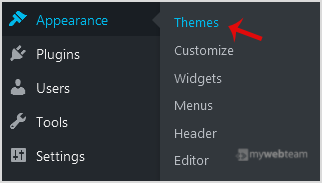 3. Click on Add New.
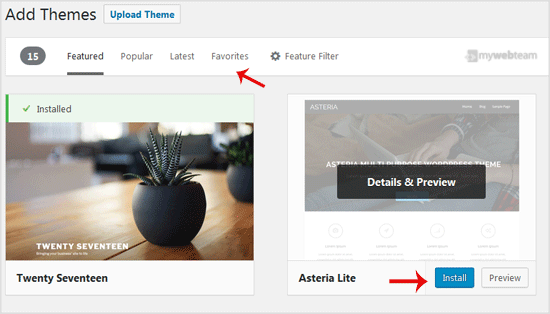
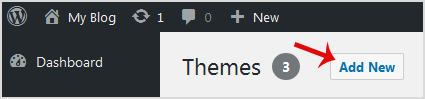 4. In Add themes page, you can search for a theme or browse the themes from Featured, Popular, Latest options. If you hover your mouse over any themes, you will be presented with two options - Activate and Live Preview.
5. Hover your mouse on any theme you like and then click on Install.
4. In Add themes page, you can search for a theme or browse the themes from Featured, Popular, Latest options. If you hover your mouse over any themes, you will be presented with two options - Activate and Live Preview.
5. Hover your mouse on any theme you like and then click on Install.
 6. A newly installed theme will show you the Activate option. Click it!
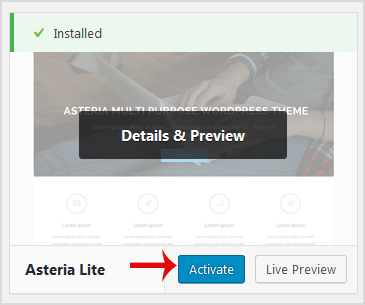 Congratulations, you have installed and activated a new theme on your blog.