How to remove a category in WordPress?
- August 15, 2021
- 0 Comments
If you want to remove the WordPress category, then follow this instruction:
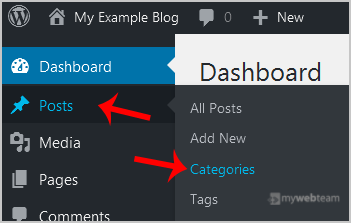
1. Login to your WordPress admin dashboard.2. Under the dashboard menu, hover your mouse on Posts and then click on Categories.
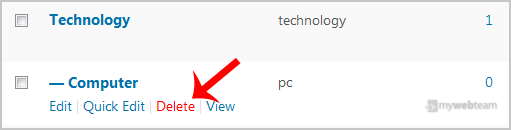
 3. On the right side, you can see a list of categories. Hover your mouse on a category you wish to remove, and a few options will appear. Click on the Delete option. The confirmation option will appear. Click on OK.